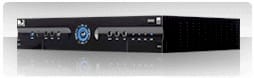
 I enjoy the fact that my DirecTV DVR (model HR21-200) records HD content for me. The quality is generally pretty darned good (it does 1080p video now after a recent a software upgrade), and it beats the heck out of anything else available to me in the boonies. The unit comes equipped with a 320GB (give or take) internal drive, which allows something like 30 hours max of HD recording. I found that when recording full seasons of a few shows like The Office or Lost in HD (and most of us will tend to add a few HD movies in the mix), the drive tends to fill up before I want it to.
So, I ordered a Cavalry 1TB external eSATA/USB 2 drive from Newegg.com, which arrived today. I've hooked it up and it's working. My new capacity numbers? Well, it depends on the specific content, but up to about 145 hours of HD content or as much as 1000 hours of SD programming (wow). Variables that affect actual video-time capacity includes resolution, compression (MPEG2 uses more space than the newer MPEG4) and how much motion there is in the video (since more motion means less compression benefit).
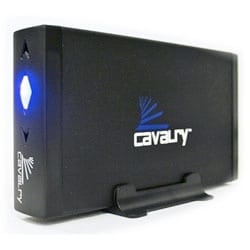 I wanted to document the simple setup steps here, so people can get theirs to work if they should want to do the same thing. You can find similar info on the 'net, but people seem to have a hard time with it. My drive came pre-formatted NTFS, which is fine. The DVR will wipe any file system on whatever drive you hook up. Below are the steps that one needs to follow in order to get the external drive up and running with the DVR. The order of the steps is crucial. Don't try to power up your hard drive after you start the DVR, for example.
First of all, if your external SATA drive is a Seagate FreeAgent, you will probably not have any luck, unless you have a HR20 DVR unit. I've heard many stories from people who bought a FreeAgent drive and tried to attach it, with no luck. So, while the FreeAgent drives are great for gneral storage, they are probably not what you want to buy to attach to your DirecTV receiver. My HR21-200 unit simply refused to work with my 750GB Seagate drive, so it's doing video editing duty now. Your mileage may vary, but my experience is that they just don't work.
To start using your new hard drive:
-
Power down the DVR.
-
Unplug the DVR from the wall power. This is important.
-
Attach the external drive's eSATA cable to the back of the DVR unit.
-
Power up the external hard drive first, and allow it to "spin up" (give it about a minute to be safe).
-
After the hard drive has "spun-up," plug the DVR back into the wall power plug.
-
Be patient (very patient) and wait for the DVR to restart. It's not dead. Be patient.
-
After it does it's thing, you'll be able to watch TV again. Check your recorded items list and make sure it's blank.
-
Run a recording test and make sure you can play back.
Note that the DVR's internal drive is completely bypassed when you add a new external hard drive - the system no longer sees it. So your recordings and what-have-you from the internal drive will not be available to view. However, in my experience if you restart the DVR without the external drive attached the internal drive "comes back to life" and you'll see your old recordings there.
Any scheduled recordings on your "To Do List" that you set up before adding the external hard drive will no longer be programmed. This is important - You will need to set up your recording schedules again. Head over to DirecTV's online scheduler or their mobile scheduling site at http://m.directv.com and sign in to start setting things up. I sometimes find the mobile site to be a bit easier to use, even on a desktop or laptop PC - especially since it lets me search by name.
Also, note that whatever you set up online may not be configured using the default recording setting you've established on your receiver, so be sure to go to the receiver's Manage Recordings list and review the new items that appear in your To Do list to make sure they're set to what you want. In my case, I had to make changes. Seems like recordings scheduled online should use the defaults you've established on your machine, but they didn't for me.
 Most importantly, you can look for good deals on decent external eSATA hard drives to do an inexpensive upgrade to your DVR. If you like spending lots of money, you could go to one of the sites that offers upgrade hardware services, but one such site sells essentially the same drive I bought and installed myself. Their price? $299.00, and that's just for the hardware. If you want your internal drive copied to the new drive, they can do that for an additional $59 - Not worth it to me.
How much did I pay for mine? $167.00 from Newegg. You can do the math. Shop around, prices are even lower now, and you can find an even better deal out there.

Member discussion: