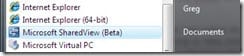
 I recently set up a Windows Live Workspace beta site, and while doing that I saw a program that I had not realized was available before, called SharedView. It's a program that is currently in beta (the release number as of this writing is beta 2), and it's a simple and effective app that lets you share your desktop or applications with someone else and lets the participants grant control of their computer desktop to others in the session. It's integrated into the Office Live Workspaces for collaboration purposes, but it's usable for a variety of purposes.
I didn't download the program immediately, but was intrigued by what Microsoft had put together. Then, as fate would have it, the next day my mom sent me a IM via my mobile device (she 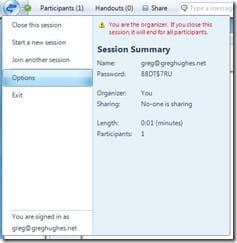 really is pretty tech-hip for a retiree, heh), telling me she had a little computer problem and needed some help. In the past we've tried to use remote desktop services and the help-request functions in the MSN/Live IM client, but firewalls always seem to get in the way and performance has tended to be lackluster. Anyhow, in the process of trying to solve the computer issue, it often becomes too complicated to try to solve it via text messages, so in this case I hooked up my laptop, downloaded the SharedView client and set up a SharedView session with my LiveID account and pointed her to the download so she could join the session using my email address and a passcode.
Within a few short minutes she was online and in the SharedView session and I was able to see her desktop. I liked that I was able to point to things on her desktop and she could see what I was pointing at, without having to take control away (this feature is called Personal Mouse Pointers). Nice feature. When it became necessary, she easily (and intuitively, without specific instructions from me) granted me control and watched as I walked her through the fix, explaining it along the way. Several times I handed control back to her so she could do part of the tasks.
In the recent past I've paid for similar services from other companies that also work well. Some of them don't rely on an installed program like this one does, but the SharedView app download is small and simple and works well on 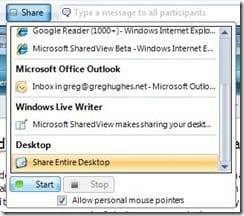 either Windows XP SP2 or Vista. I'd like to see it offered as a click-once app to easy use (at least as an option, if this type of app can even be deployed that way).
One of the great tests of success in today's software utility market is usability. One way I gauge the usability of an app is via watching my mom use it. If she can pick it up without much prompting, it generally passes. If she can't figure it out, chances are others can't either, and so it fails. SharedView met the expectations of that litmus test. Another great example of meeting the usability requirements and needs of the average user is Windows Home Server, which I started using in my own home not too long ago and about which I have written a couple times. There's some true-quality stuff coming out of Redmond right now for the average user, and that's good to see.

Member discussion: