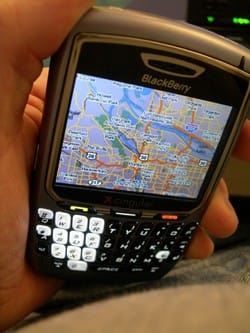
 My friend Jim reminded me the other day about an app I recently installed and have not taken the time to write about, despite the fact I've been using it - namely the Google Maps Mobile (beta) client that I have running on my Blackberry 8700C.
Available for a number of handheld platforms, this network-connected client software allows you to do a lot of what you've already come to expect from Google Maps on the web, only now you can take advantage of the service your handheld. Everyone I've shown it to in the past couple weeks has agreed that it's pretty darned awesome.
Things you can do with the Google Maps Mobile client:
-
Search for nearby businesses cataloged in Google Local (via the "Find Business" menu option)
-
Specify a location to show on the maps (it remembers locations you enter, too)
-
Get driving directions to or from any location (just click the location and choose from the menu)
-
View locations either in map or satellite view, and toggle between views
-
Zoom in and out, and pan left/right, up/down
It would be nice to have a feature for the driving directions to be listed on a single page, turn-by-turn, rather than only on the map at the waypoints (which works just fine, just not what I'm used to). But hey, who's to complain? It's free. Heh...
The mobile client seems to be available for multiple devices, so read the list to see if yours is supported, and to get it point your mobile device at:
I installed mine by visiting that page and installing over the air - the best method there is, really.
And for a bit more information in your regular ol' (non-mobile) web browser, see the Google Maps Mobile (beta) page and read the FAQ.

Member discussion: